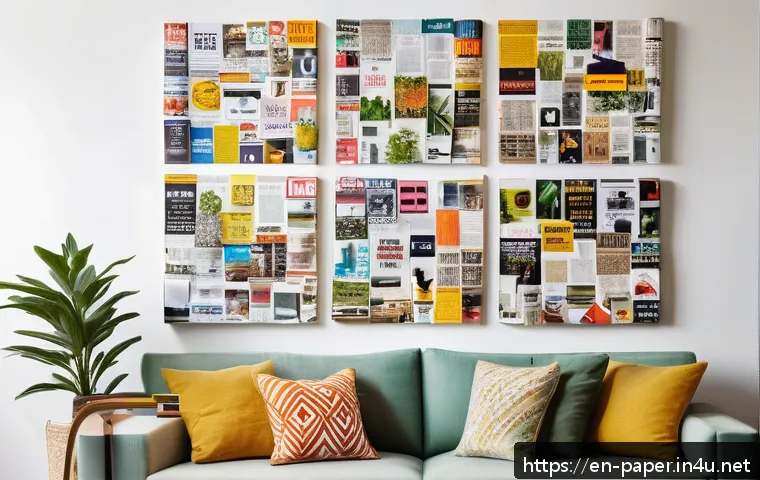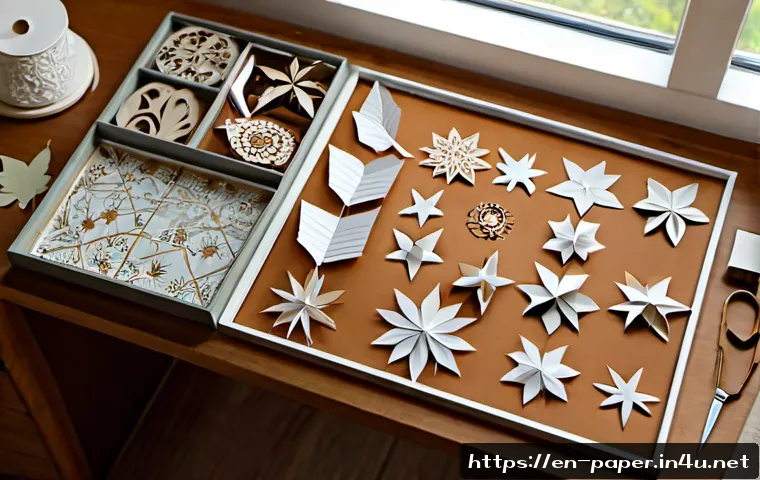
Explore practical paper craft pattern ideas for cards, décor, gifts, classrooms, and small product lines. Compare pattern complexity, material needs, cutting tools, software options, and licensing checks before you invest time or money.
Choose a printable PDF for simple hand-cut projects, an SVG or DXF file for repeatable cutting-machine work, and a custom pattern when the design needs to fit a specific product or event. The best paper craft pattern is not always the most detailed one; it is the one that matches your tools, assembly time, and confidence level. Cardstock is commonly a better starting point for structured projects because it supports folds and layered shapes more reliably than standard printer paper. Before buying a digital file, check its format, the software or cutting-machine requirements, and the stated license. A small prototype can reveal weak tabs, unclear score lines, or tight slots before you use specialty paper. This approach helps hobby makers, teachers, and small sellers choose supplies and design tools with less waste.
At a Glance
- Printable PDFs suit hand-cut cards, gift tags, and classroom projects with a low setup barrier.
- SVG and DXF cutting files are useful when you need clean, repeatable shapes for several copies.
- Prototype first to check folds, tabs, slots, and assembly order before cutting premium cardstock.
| Pattern option | Setup effort | Material waste risk | Repeatability | Best fit |
|---|---|---|---|---|
| Printable PDF template | Low | Can increase with manual cutting errors | Good for a small number of copies | Cards, tags, simple décor, classroom activities |
| SVG or DXF cutting file | Requires compatible software and cutting setup | Can be reduced with accurate settings and testing | Strong for repeated pieces | Layered cards, party décor, product batches |
| Custom-designed pattern | Higher planning and testing effort | Depends on prototype quality | Can be tailored for repeat production | Branded packaging, original products, special events |
Start With the Right Pattern Type for Your Project
The quickest way to choose a paper craft pattern is to begin with the finished use. A handmade birthday card, a classroom activity, a table centerpiece, and a small product line may all use paper, but they need very different levels of detail and repeatability. Choose the construction method before choosing the artwork.
Three Quick Choices: Printable Template, Digital Cutting File, or Original Sketch
A printable PDF template is often practical when you want to print, trace, score, and cut by hand. It can work well for projects with broad shapes and simple assembly. An SVG or DXF file may be a better fit for a craft cutting machine, provided the file format works with your software and setup. A custom sketch or original pattern makes sense when you need a unique size, branded look, or a design that is not available as a ready-made template.
Do not assume that every digital file works in every program. PDF, SVG, DXF, and PNG files can be offered for different workflows, and compatibility needs to be checked before purchase.
Match the Design to Cards, Party Décor, Framed Art, Gift Packaging, or Product Prototypes
For cards and gift tags, a simple layered pattern or folded element can create interest without making assembly difficult. Party décor may benefit from repeatable shapes, such as banners, table pieces, or hanging ornaments, where a cutting machine can help with multiple copies. Framed paper art can use shadow layers, windows, and cut-out details. Gift packaging needs practical tabs, folds, slots, or glue points that hold together during use.
For a product prototype, focus on whether the pattern can be assembled consistently. A visually impressive design is less useful if the tabs are weak, the slot is overly tight, or the folding sequence is unclear.
Top Summary: Choose Complexity Based on Your Available Time, Tools, and Assembly Confidence
Start simple if you are testing a new tool or material. More intricate patterns generally need a sharp precision blade, a clean cutting mat, and enough spacing between small details. If you have limited time, choose fewer layers and larger shapes. If the project will be repeated, invest more effort in a clean digital file, organized labels, and a tested assembly order.
Compare Hand-Cut Patterns, SVG Files, and Custom Designs
Each pattern route trades convenience for control. The right choice depends on whether you are making one thoughtful item or a set of matching pieces.
Cost, Setup Time, Repeatability, and Learning Curve Comparison
Hand-cut templates usually require fewer digital tools, but manual cutting can take longer when a design contains many small pieces. SVG cutting files can reduce repetitive cutting work, although they require a compatible cutting machine, software, blade, and mat. Custom pattern design gives you the most control, but it also adds planning, revision, and prototype time.
A premium template can be worth considering when it saves design time, includes a clear assembly structure, and matches your intended use. However, the file quality, license scope, and included formats vary by listing. Review those details instead of relying on the preview image alone.
When a Cutting Machine Can Save Time on Repeated Projects
A cutting machine becomes especially useful when you need multiple copies of the same layered card, decorative shape, or packaging component. It can support repeatability, but it does not remove the need for testing. Small cut details may still need a sharp blade, a clean mat, and suitable spacing in the design.
Before preparing a full batch, cut one sample. Check whether tiny sections lift cleanly, whether score lines are visible, and whether the pieces still fit after folding. This simple step can prevent a large stack of unusable cardstock.
When Buying a Licensed Template Is More Practical Than Designing From Scratch
Buying a licensed template may be practical when your priority is assembly rather than illustration or technical file creation. It can also help teachers and event planners move from idea to project more quickly. For small handmade-product sellers, licensing deserves extra attention: a pattern license may limit how the digital file or finished item can be used, particularly for commercial resale.
Read the stated terms before making products for sale or sharing files with a group. Do not assume that permission to download a file includes classroom distribution, commercial use, or resale rights.
Build Stronger Designs With Paper, Folds, and Layering
A successful paper craft is usually built around structure, not decoration alone. Paper choice, fold placement, and connection points all affect the final result.
Choose Paper Weight and Finish for Flat, Folded, Layered, and Freestanding Projects
Cardstock is commonly used for structured paper projects because it holds folds and layered shapes better than standard printer paper. Flat print-and-cut items may allow more flexibility, while folded cards, pop-ups, and freestanding forms need paper that supports their construction.
Consider the surface finish as well as the look. A finish can affect how clearly you see score marks, how easily glue areas bond, and how the final layers read under light. Test your chosen paper before cutting a detailed pattern.
Use Score Lines, Tabs, Slots, and Glue Areas Intentionally
Score lines guide folding. Tabs and glue points create connections. Slots allow pieces to lock together without the same assembly method as glued projects. Each feature should have a clear job. A tab that is too small may feel weak; a slot that is too tight can damage the paper during assembly.
Use simple visual labels in your pattern: mountain fold, valley fold, glue area, part number, or assembly direction. Clear labels are especially useful for classroom crafts, gift packaging, and patterns intended for repeat production.
Create Visual Depth With Shadow Layers, Windows, Pop-Ups, and Dimensional Elements
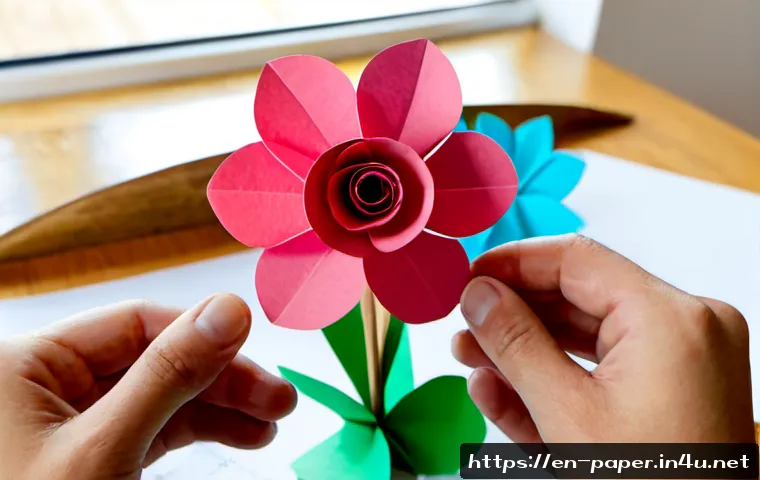
Layering can make a basic design feel more finished. Try a background layer, a raised focal shape, and a small foreground accent rather than adding intricate cuts everywhere. Windows can frame a message or image. Pop-up elements can add surprise to a card. Dimensional flowers and folded shapes can bring depth to party décor or framed art.
The caution is assembly load. Every added layer creates another alignment point, glue point, or fold. Keep the visual effect proportional to the time you want people to spend building it.
A Simple Workflow for Designing and Testing a Pattern
A repeatable workflow helps turn a nice idea into a pattern that is actually enjoyable to make. The goal is to find problems early, when changes are easy.
Sketch the Shape and Define the Assembly Order
Begin with the finished form. Then break it into individual parts and decide which part connects first, second, and last. Identify where folds, score lines, cut lines, tabs, layers, slots, and glue points belong. This prevents a common problem: a pattern that looks correct when flat but cannot be assembled in a sensible order.
Make a Low-Cost Prototype Before Using Specialty Cardstock
Use a basic test sheet before moving to specialty cardstock or a larger material batch. The prototype does not need to look polished. Its purpose is to show whether the pieces fit, whether folds go in the intended direction, and whether the design is comfortable to assemble.
For cutting-machine projects, a test cut can also show whether tiny details need more spacing or whether a precision blade and clean mat are needed for the chosen design.
Adjust Cut Spacing, Fold Direction, Tab Size, and Labels for Easier Assembly
After testing, revise the parts that caused hesitation. Increase spacing between delicate cut details when possible. Make fold directions obvious. Adjust tabs and slots that feel weak or overly tight. Add part labels if several similar pieces are easy to confuse.
A pattern is ready when the assembly steps are understandable, not merely when the cut file looks attractive on screen.
Pattern Ideas by Use Case and Skill Level
Skill level is not only about cutting ability. It also includes your patience for alignment, folding, gluing, and following a multi-step sequence.
Beginner-Friendly Ideas: Bookmarks, Gift Tags, Simple Layered Cards, and Paper Flowers
Bookmarks and gift tags are useful for practicing clean outlines and small decorative layers. Simple layered cards introduce alignment without requiring complex construction. Paper flowers can teach shaping and layering while keeping the parts easy to recognize.
Look for broad cut lines, limited piece counts, and clear score or glue instructions. These projects are also suitable for testing a paper trimmer, scoring tool, or printable template workflow.
Intermediate Ideas: Shadow Boxes, Pop-Up Cards, Lanterns, and Modular Ornaments
Shadow boxes use layers to create depth, making them a natural fit for SVG cutting files and carefully aligned cardstock. Pop-up cards require fold direction and placement to be accurate. Lanterns and modular ornaments often involve repeated components, tabs, or slots, so prototype testing matters.
At this stage, choose patterns that clearly show the assembly order. Intricate decoration is optional; reliable construction is more important.
Advanced Ideas: 3D Models, Intricate Mandalas, Packaging Dielines, and Repeatable Craft Products
Advanced projects can include detailed 3D models, intricate mandalas, custom packaging dielines, and original products designed for repeated assembly. These ideas often benefit from design software, a well-maintained cutting setup, and several test versions.
For commercial projects, separate the design question from the license question. Even if a pattern is technically suitable for a product, its stated terms may not allow commercial resale. Check the listed license before production.
Selection Criteria and Comparison Summary
Use these checks before choosing a pattern, marketplace listing, cutting machine project, or custom design workflow:
- Detail level: Can your blade, mat, and hand-cutting precision handle the smallest shapes?
- File format: Is the PDF, SVG, DXF, or PNG compatible with your design software and cutting setup?
- Assembly time: Does the number of layers, folds, tabs, and glue points fit your schedule?
- Material plan: Have you tested the design before using specialty paper or cutting a larger batch?
- License terms: Does the stated license fit personal use, classroom use, finished-item sales, or other intended use?
- Repeatability: Would a printable template, cutting-machine file, or custom design save the most effort for your project quantity?
When comparing design software, template licenses, paper trimmers, scoring tools, and cutting machines, check the official product details and the full license terms on the relevant page before you commit.
Final Thoughts
Good paper craft pattern ideas start with a practical decision: what are you making, how many copies do you need, and which tools do you already have? A printable template can be enough for a personal project, while SVG files and a cutting machine can support cleaner repetition. Custom designs offer more control, but they require a careful testing process. Whatever route you choose, a small prototype is one of the most useful ways to protect your paper, time, and patience.
Useful Things to Know
1. A clean cutting mat and sharp precision blade are important for intricate details.
2. Cardstock is commonly chosen for folded, layered, and structured projects.
3. Score lines, tabs, slots, and glue areas should be clear and purposeful.
4. Digital file compatibility depends on the software and cutting setup you use.
5. A finished craft may have different permitted uses than the digital file itself.
Important Notes
Individual template quality, file compatibility, cutting performance, license scope, and permitted resale use cannot be assumed from a general category or preview image. Check the exact listing details, tool requirements, and stated license before purchasing, distributing, or selling work made from a pattern. Test cuts are still important because paper finish, pattern detail, blade condition, and machine setup can affect the result.
Frequently Asked Questions
Q1. Are SVG paper craft patterns worth buying if I only make projects occasionally?
A1. They can be worthwhile if you already have a compatible cutting setup and want cleaner repeated cuts or layered designs. If you only make occasional simple projects by hand, a printable PDF template may be the more practical option. Check the included file formats and license terms before buying.
Q2. What paper weight works best for layered cards and 3D paper crafts?
A2. Cardstock is commonly used because it holds folds and layered shapes better than standard printer paper. The most suitable choice still depends on the design, paper finish, cutting detail, and your tool setup, so testing a small sample is useful.
Q3. Can I sell finished paper crafts made from purchased digital patterns?
A3. It depends on the specific pattern license. Some licenses may limit commercial resale or other uses of finished items, while others may permit them under stated conditions. Read the exact license before listing or producing crafts for sale.